Blur License Plates in Photos Online (100% Private)
or drag and drop your images here
Hide sensitive vehicle registration details instantly with our free, professional-grade license plate blurring tool. Operating entirely within your local browser, Image Studio ensures your photos are processed privately without ever uploading your files to an external server. Simply load your image, customize your blur mask, and safeguard your vehicle privacy in seconds.
Why our license plate blur tool is different
100% Private & Local
Your photos never leave your device. All rendering and blurring happen locally in your browser, keeping your personal data entirely secure.
Shape & Precision Customization
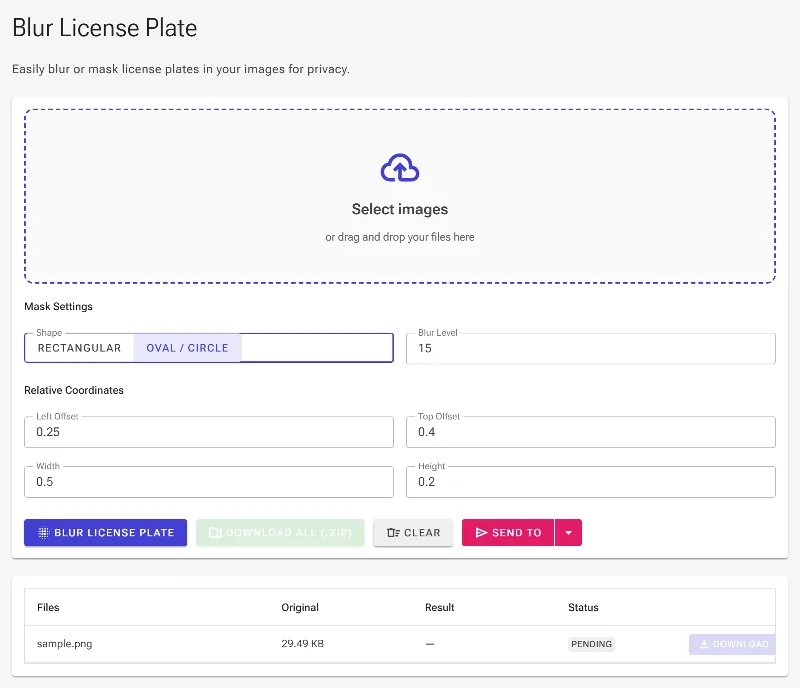
Choose between rectangular or oval blur masks to perfectly match any vehicle plate style or angle.
Pixel-Perfect Fine-Tuning
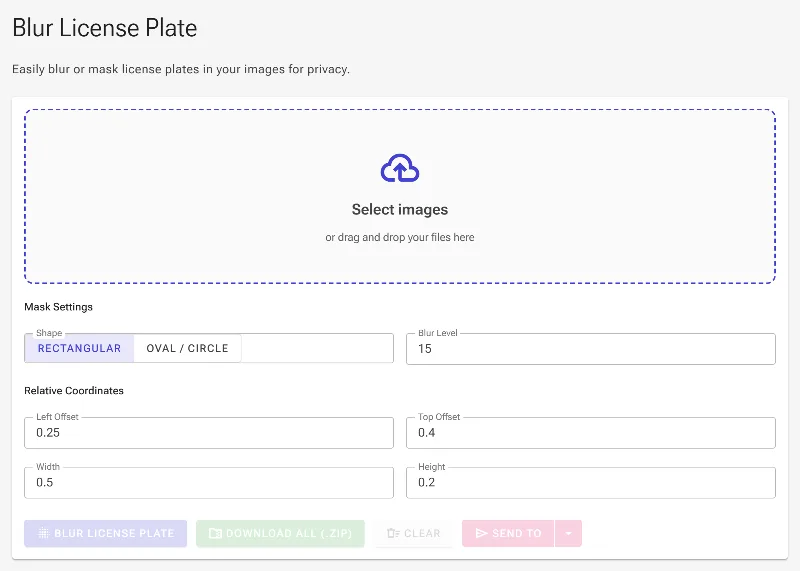
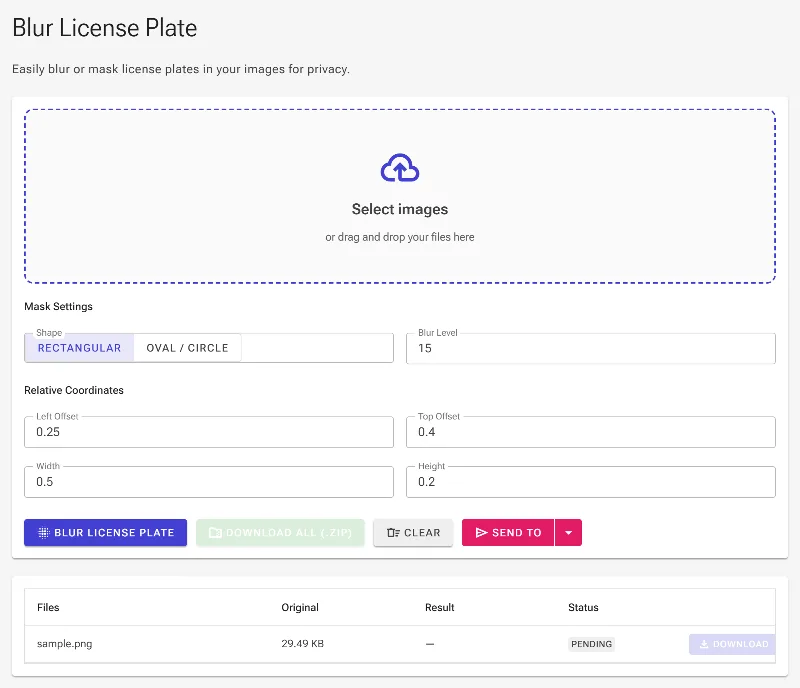
Interactively drag the blur area on-screen, or manually dial in the exact coordinates (top, left) and dimensions (width, height) for absolute accuracy.
No Limits, No Sign-ups
Enjoy unlimited, high-resolution downloads with adjustable blur intensity levels, completely free and without watermarks.
How to blur a license plate in an image
- Upload Your Photo: Drag and drop your image or click to browse. The file loads instantly inside your browser.
- Position and Shape the Mask: Select either a rectangular or oval mask and drag it over the license plate, or use the manual coordinate sliders for precise alignment.
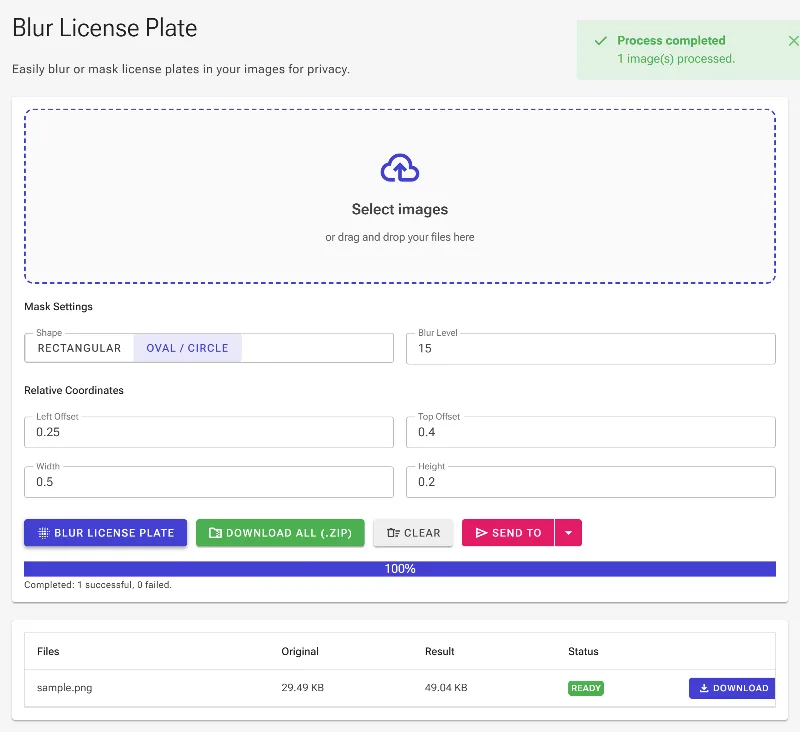
- Adjust Size and Blur Level: Drag the corners to resize, or use the width/height controls. Adjust the blur intensity slider to achieve your desired level of obscuration.
- Download Your Private Image: Click the save button to export your redacted image instantly with zero loss in original quality.
Use it for anything
Online Car Sales
Protect your vehicle's identity when listing cars on eBay Motors, Craigslist, Facebook Marketplace, or AutoTrader.
Social Media Sharing
Share car enthusiast photos, street photography, or road trip memories without exposing strangers' or your own registration details.
Fleet & Business Promotion
Safely showcase company vehicles, delivery vans, or client cars on your business website and marketing materials.
Safeguard your automotive privacy instantly without compromising your data. Try our free, local license plate blur tool now and take full control of your image security.
Frequently Asked Questions
Is my image uploaded to your servers?
No. Image Studio uses advanced client-side technology, meaning all image processing and blurring happen exclusively inside your web browser. Your private images are never uploaded, stored, or shared.
Can I blur multiple license plates in a single photo?
Yes. You can easily apply and adjust blur masks to cover multiple license plates or other sensitive details like faces and street addresses within the same image.
What is the difference between the oval and rectangular blur masks?
Rectangular masks are ideal for standard modern license plates, while oval masks work perfectly for motorcycle plates, vintage European plates, or angled shots where a rounded blur fits better.
Can someone reverse the blur to reveal my license plate?
No. Once you download the edited photo, the pixels under the blur mask are permanently rewritten and flattened. It is mathematically impossible to reverse-engineer or "un-blur" the hidden license plate details.