Mirror any image horizontally in a single click without uploading a single byte to an external server. This free, professional-grade tool runs entirely in your local browser, meaning your photos stay 100% private and secure. Instantly flip, preview, and download your mirrored images in their exact original dimensions.
Why it's different
100% Private & Local Processing
Your images never touch a server. Everything happens directly inside your browser, guaranteeing total data privacy.
Preserves Original Dimensions
No distortion or cropping. The tool mirrors your image automatically while keeping the exact original width, height, and quality intact.
Real-Time Live Preview
See your flipped image instantly in the output panel before downloading, ensuring the layout is perfect.
Zero Limits or Sign-ups
Mirror as many high-resolution photos as you want. There are no registration forms, file-size limits, or watermarks.
How to flip an image horizontally
Select Your Image:Drag and drop your image into the workspace or click to select a file from your device.
Instant Horizontal Flip:The tool automatically mirrors your image horizontally as soon as it is loaded.
Check the Live Preview:Inspect the mirrored result in real-time in the output panel to ensure it looks exactly how you want.
Download Instantly:Click the download button to save your perfectly mirrored image in its original resolution.
Use it for anything
Correcting Selfies & Webcam Photos
Fix mirrored text or unnatural angles in selfies and front-facing camera shots instantly.
Symmetry & Creative Arts
Create beautiful symmetrical patterns, double-exposure effects, or mirror-image concepts for social media and design projects.
Adjusting Visual Composition
Change the focal direction of an image to match website layouts or editorial guidelines better.
Experience the fastest, safest way to mirror your photos online with Image Studio. Drop your image below and flip it horizontally in less than a second!
FAQ
Frequently Asked Questions
Will my image quality decrease when I flip it horizontally?
No, absolutely not. Our local browser-based engine processes your image without re-compressing or degrading it, ensuring the flipped file retains 100% of its original resolution, clarity, and dimensions.
Are my personal photos secure with this tool?
Yes, completely secure. Because our tool runs locally in your browser, your files are never uploaded to our servers. Your privacy is fully protected, making it safe for sensitive, confidential, or personal photos.
Can I flip large image files for free?
Yes, you can. Since processing happens on your own device rather than a remote server, we do not impose any file size limits, daily caps, or premium paywalls.
What is the difference between flipping and rotating an image?
Flipping an image horizontally creates a mirror reflection along the vertical axis, swapping the left and right sides. Rotating turns the image around its center point by a specific degree (like 90 or 180 degrees) without mirroring the content.
How to flip an image horizontally, step by step
Learn how to instantly mirror your images horizontally while preserving their original width, height, and format. This browser-based utility runs entirely inside your client browser, ensuring your files are processed securely without server uploads.
1Open the horizontal image flipper
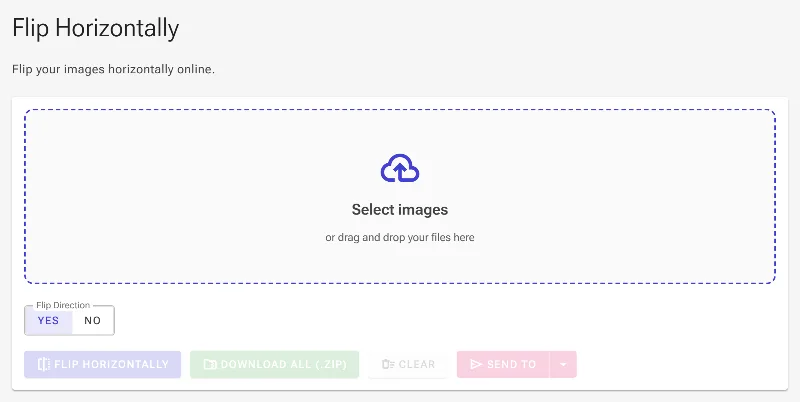
Access the browser-based horizontal flip utility. The initial screen displays an empty workspace ready for file input, alongside specialized controls to customize the mirroring behavior.
The empty workspace of the horizontal image flip tool
2Upload your target image
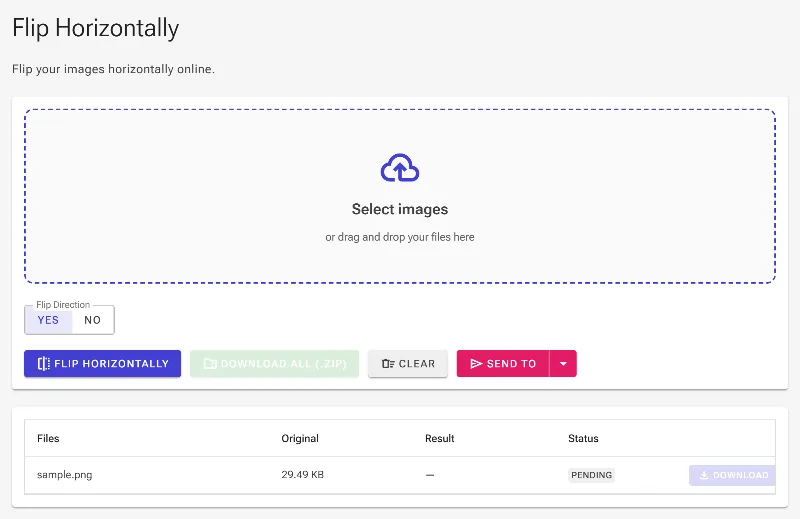
Select and upload the image file you want to mirror. The utility instantly reads the file dimensions and displays a preview card in the processing queue below.
Uploading a source image to the secure processing workspace
3Configure the flip direction
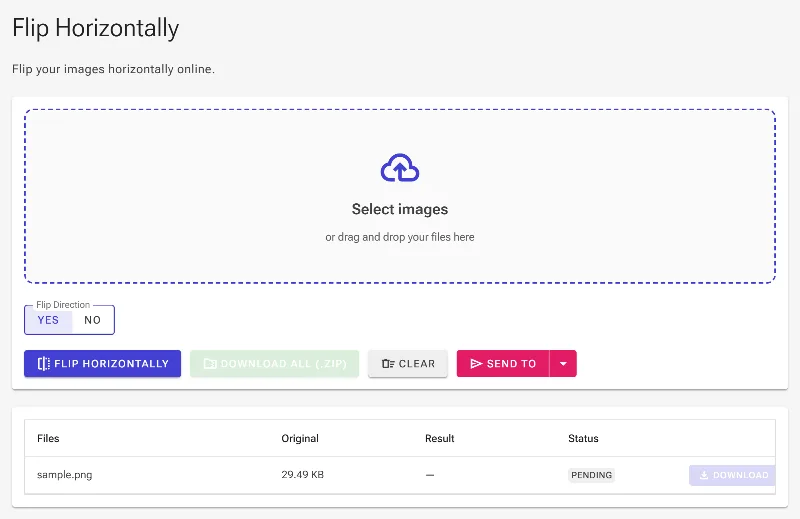
Locate the flip direction selector. Choosing 'Yes' (true) mirrors the image pixels along the central vertical axis, swapping the left and right sides. Switching to 'No' (false) bypasses the transformation, which is useful when batch processing a mix of images where only some need mirroring.
Setting the flip direction option to Yes in the parameters
4Execute the horizontal flip
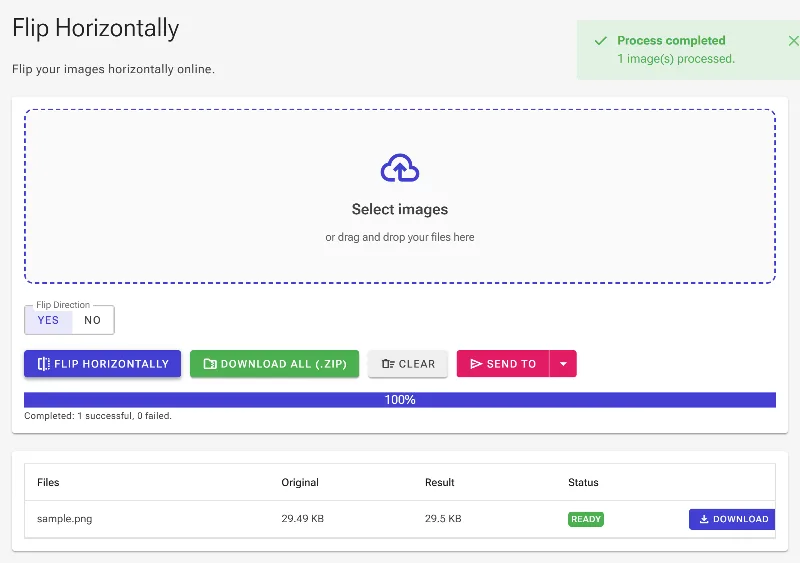
Click the process action button to trigger the image pipeline. The tool quickly performs the matrix transformation, rendering a real-time preview of the mirrored image while preserving the original width, height, and resolution.
Clicking the action button to process and flip the image
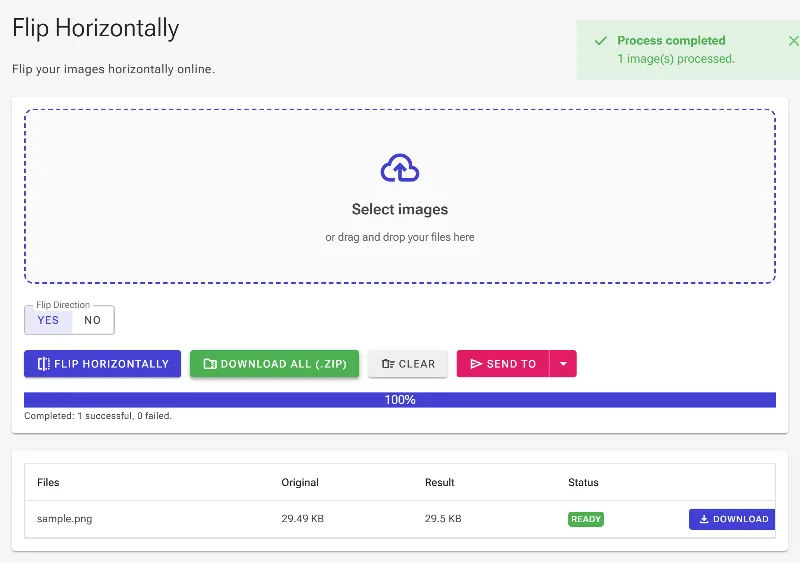
5Download your mirrored image
Click the download button to save your freshly mirrored file. The final image retains its exact original aspect ratio and resolution, saved directly to your local downloads folder.
Downloading the flipped image to your local computer