Mirror, flip, and rotate your images instantly without ever uploading them to a third-party server. Image Studio processes everything locally in your browser, ensuring absolute privacy, maximum security, and lightning-fast speeds. It is completely free, has no file size restrictions, and requires no registration.
Features
Why It's Different
100% Private & Secure
Your images never leave your device. Unlike other online editors, we process your files locally in your browser so your sensitive photos remain entirely yours.
Completely Free with Zero Limits
No hidden paywalls, no watermarks, and absolutely no daily caps. Flip as many high-resolution photos as you want, whenever you need.
Flip, Quick-Rotate & Fine-Tune
Mirror horizontally or vertically, rotate by 90-degree increments, or use the free-angle slider to perfectly align tilted horizons.
No Sign-Up or Installation
Skip the registration forms and sketchy software downloads. Just open the tool in your browser and start editing your images immediately.
Guide
How to Flip and Rotate Images
1. Upload your image
Drag and drop your image into the workspace or click to select a file from your device.
2. Mirror or rotate
Click "Horizontal Flip" to mirror left-to-right, "Vertical Flip" to flip upside down, or use the quick 90-degree buttons.
3. Adjust the angle
Use the precise free-rotation slider (-45° to +45°) to fine-tune and straighten tilted horizons or crooked lines.
4. Download instantly
Click the download button to save your perfectly edited, high-quality image directly to your device.
Versatility
Use It for Anything
Correcting front-camera selfies
Easily reverse mirrored selfies or group photos taken with your phone's front camera to make them look natural.
Straightening crooked landscapes
Fix tilted horizons in your travel photos using our precise, free-rotation slider for perfect alignment.
Creating symmetrical design assets
Flip patterns, icons, or graphics to create perfect symmetry for your digital art or layout projects.
Edit Your Images Instantly
Get studio-quality results instantly without compromising your digital privacy. Drag and drop your photo to experience the fastest, safest way to flip and rotate images online.
FAQ
Frequently Asked Questions
Is my privacy protected when using this image flipper?
Absolutely. Image Studio runs entirely in your web browser using client-side technology. Your images are never uploaded to our servers or stored anywhere online, giving you complete data security.
How do I fix a mirrored selfie?
Simply load your photo into our tool and click the "Horizontal Flip" button. This instantly mirrors the image from left to right, correcting the reversed perspective of your phone's front camera.
Can I rotate my image to a custom angle?
Yes. In addition to quick 90-degree and 180-degree rotations, you can use our free-rotation slider to rotate your image by any custom angle between -45° and +45° to fix crooked lines or horizons.
Is there a limit on the file size or the number of images I can flip?
No. Because all processing happens locally on your computer, there are no file size restrictions, no rate limits, and no daily caps. Edit as many images as you need, whenever you want.
How to Flip and Rotate Images Online, Step by Step
Transform your images instantly in your browser using this high-performance utility. It supports horizontal mirroring, vertical flipping, fixed 90/180-degree quick rotations, and custom free-angle rotation with automatic canvas expansion to preserve every pixel.
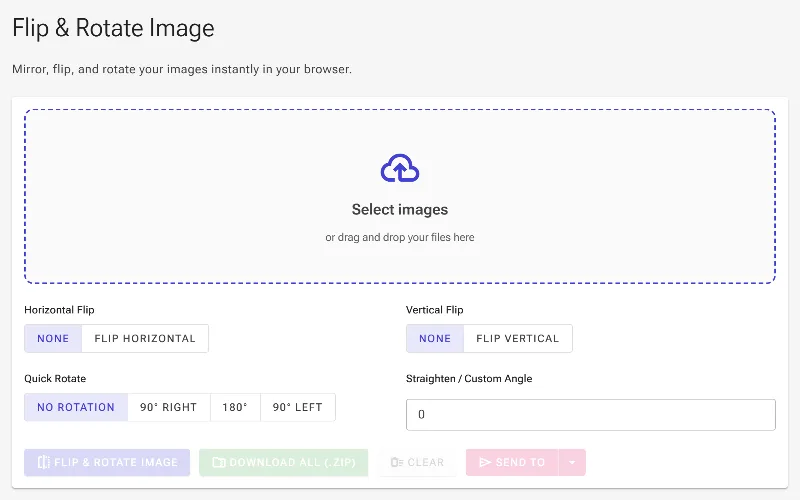
1Open the Flip Image tool
Launch the browser utility to begin. Since all operations run completely locally within your browser using WebAssembly, your image files never leave your computer, ensuring total privacy and fast performance.
The empty Flip Image tool ready for file selection
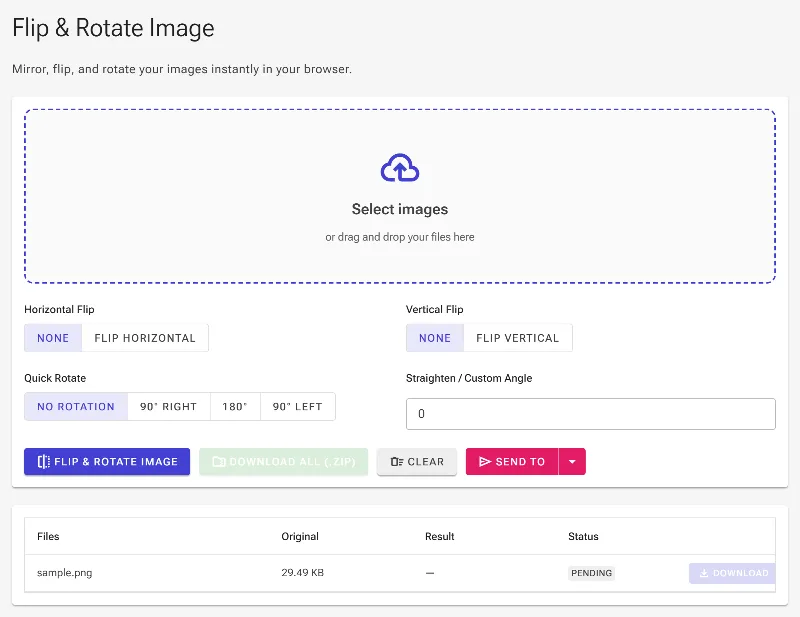
2Upload your image files
Drag and drop your files or select them using the file picker. The tool supports batch operations, allowing you to load multiple images simultaneously and apply your flipping and rotation rules across the entire batch.
Uploading source images to the batch processing area
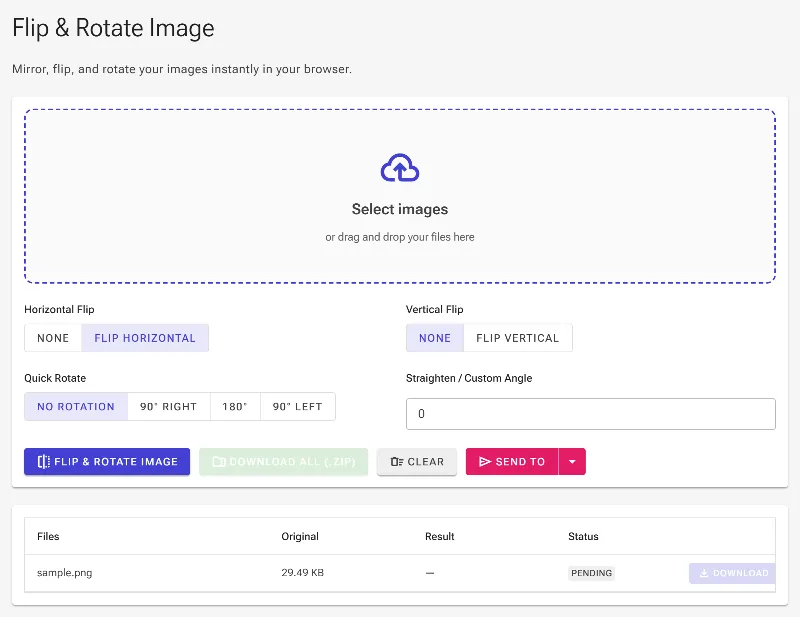
3Mirror horizontally or vertically
Configure the mirroring switches. The Horizontal Flip parameter (Espejar) mirrors your image from left to right, making it ideal for correcting mirror-imaged selfies. The Vertical Flip parameter inverts the image from top to bottom, which is useful for correcting upside-down document scans or creating reflective designs.
Selecting the Horizontal Flip option to mirror the image
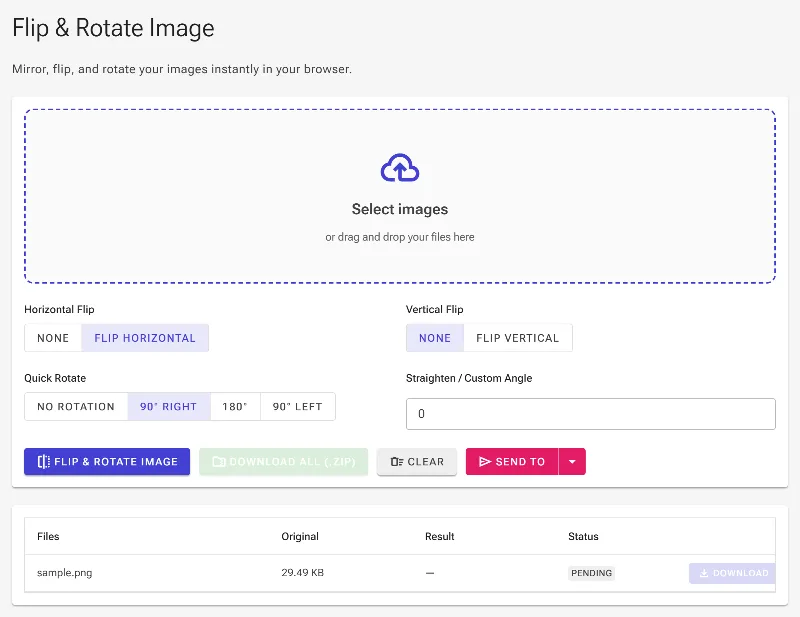
4Apply quick fixed rotations
Use the Quick Rotation control bar to rotate your files in standard steps. You can choose 90 degrees clockwise, 180 degrees, or 270 degrees counter-clockwise. This is the fastest way to fix portrait shots that were incorrectly saved as landscape by your camera.
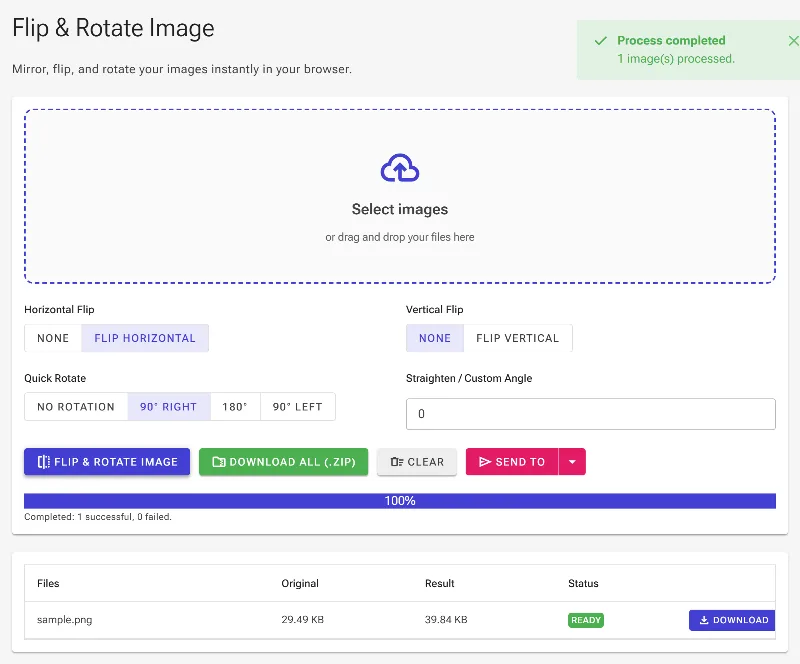
Selecting a 90-degree clockwise quick rotation
5Process and save your work
Click the process button to run the matrix transforms. The application automatically recalibrates the output dimensions to ensure nothing is clipped. Once done, download your modified images individually from the grid or compile them as a single ZIP archive.
Executing the transformations to generate and download the output