Blur & Pixelate License Plates in Images Online

Select files

or drag and drop your images here

Protect your privacy by censoring vehicle registration numbers before sharing car photos online. Image Studio lets you pixelate or blur license plates directly in your browser with absolute precision. Because everything runs locally on your device, your images never leave your computer—no uploads, no sign-ups, and completely free.

Features

Why it's different

100% Client-Side Privacy

Your photos are processed entirely within your browser. Zero server uploads mean your location, vehicle details, and personal data stay strictly private.

Rectangular & Oval Masking

Choose between rectangular or oval pixelation regions with interactive drag-and-drop handles for a clean, professional fit over any plate shape.

Pixel-Perfect Controls

Fine-tune the blur location and size using precise X/Y coordinates, width/height dimensions, and adjustable block sizes for total coverage.

No Limits, No Sign-ups

Blur as many license plates as you want without watermarks, rate limits, or account creation.

Guide

How to Pixelate a License Plate

  1. 01

    Load your image

    Drag and drop your photo or click to select one from your device.

  2. 02

    Position the mask

    Choose between a rectangular or oval pixelation shape, then drag the preview handles directly over the license plate.

  3. 03

    Fine-tune the censor

    Adjust the pixel block size for heavier obfuscation, or use the X/Y coordinate sliders for pixel-perfect placement.

  4. 04

    Download instantly

    Click download to save your censored image directly to your device with zero loss in quality.

Use Cases

Use it for anything

Selling cars online

Protect your home address and vehicle registration from bad actors on Facebook Marketplace, Craigslist, or AutoTrader.

Social media & car meets

Share stunning photos of your ride on Instagram, Reddit, or car forums while keeping your identity anonymous.

Street photography & mapping

Censor accidental captures of license plates before uploading photos to public blogs or crowdsourced maps.

Keep Your Identity Safe

Keep your vehicle's identity safe without risking your data privacy on slow, ad-heavy servers. Drag your car photo into our secure editor and pixelate your license plate in seconds!
FAQ

Frequently Asked Questions

Is it safe to upload my car photos here?
Yes, because you aren't uploading them! Our tool processes your images entirely in your local browser. Your photos never touch our servers, keeping your location and vehicle identity 100% private.
Can I adjust how heavily the plate is pixelated?
Absolutely. You can customize the pixel block size dynamically. Use larger blocks for a heavy, completely unreadable censor, or smaller blocks for a more subtle look.
What shapes can I use to cover the license plate?
You can choose between a rectangular mask (perfect for standard European and American plates) or an oval mask (ideal for motorcycles, angled shots, or curved designs).
Is there a limit on how many images I can process?
No. Since the processing runs locally on your own computer, there are no rate limits, no queues, and no premium paywalls. Edit and blur as many photos as you need.

How to pixelate a license plate in an image

Safeguard vehicle privacy by applying custom pixelated masks over license plates. This tool operates entirely in your browser to anonymize vehicle identifiers with adjustable shape, size, positioning, and pixel intensity controls.

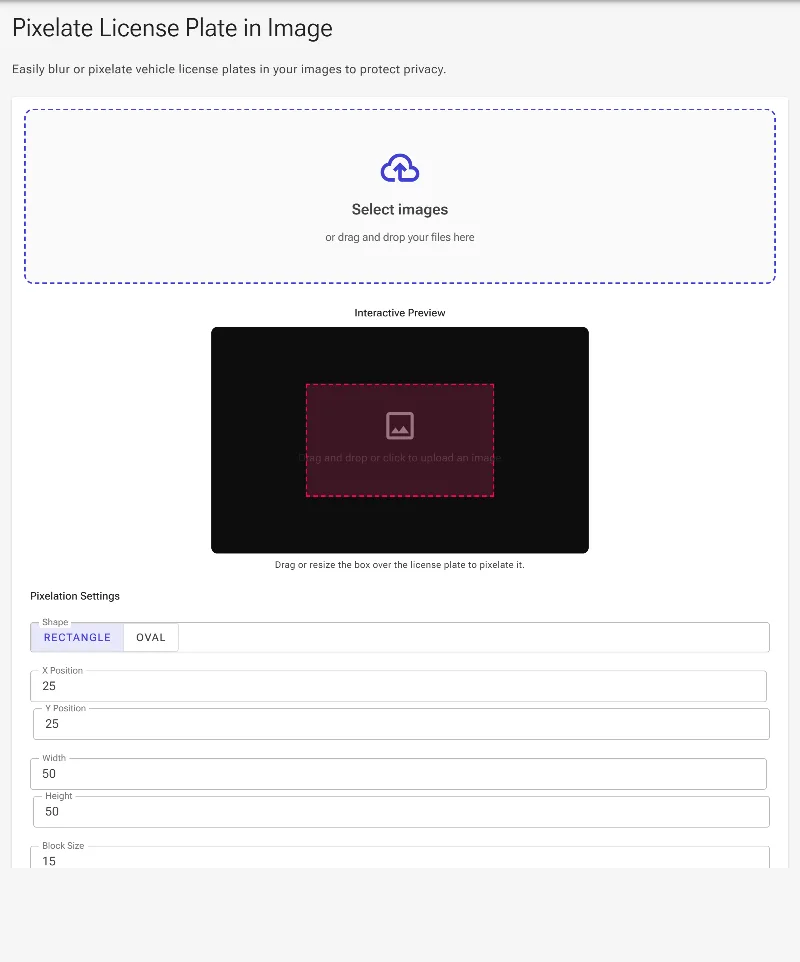
1Open the license plate pixelation tool

Start with a clean interface. This secure tool processes all operations locally inside your web browser, ensuring that your original images and sensitive license plate data are never uploaded to an external server.

Open the license plate pixelation tool
The initial empty interface of the license plate pixelation tool.

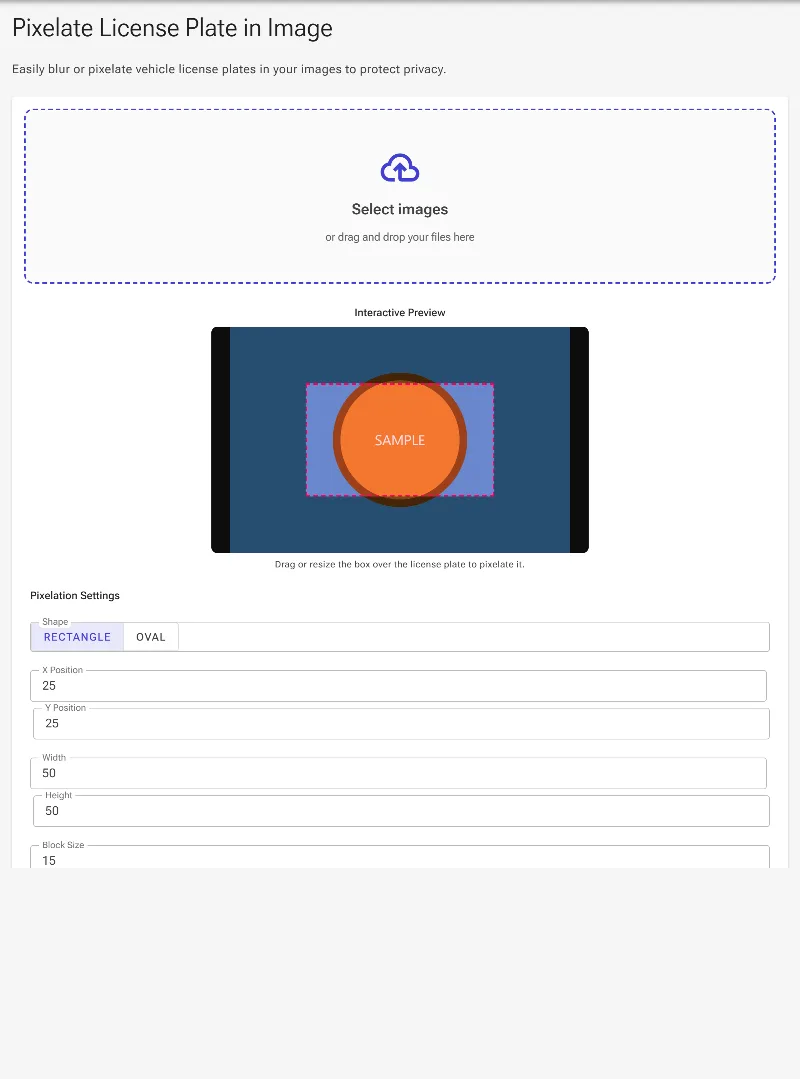
2Upload your vehicle image

Select and upload the image containing the license plate you need to obscure. Once loaded, a dashed overlay indicating the active masking area will appear directly over the interactive preview pane.

Upload your vehicle image
The uploaded vehicle image displayed with the active pixelation overlay.

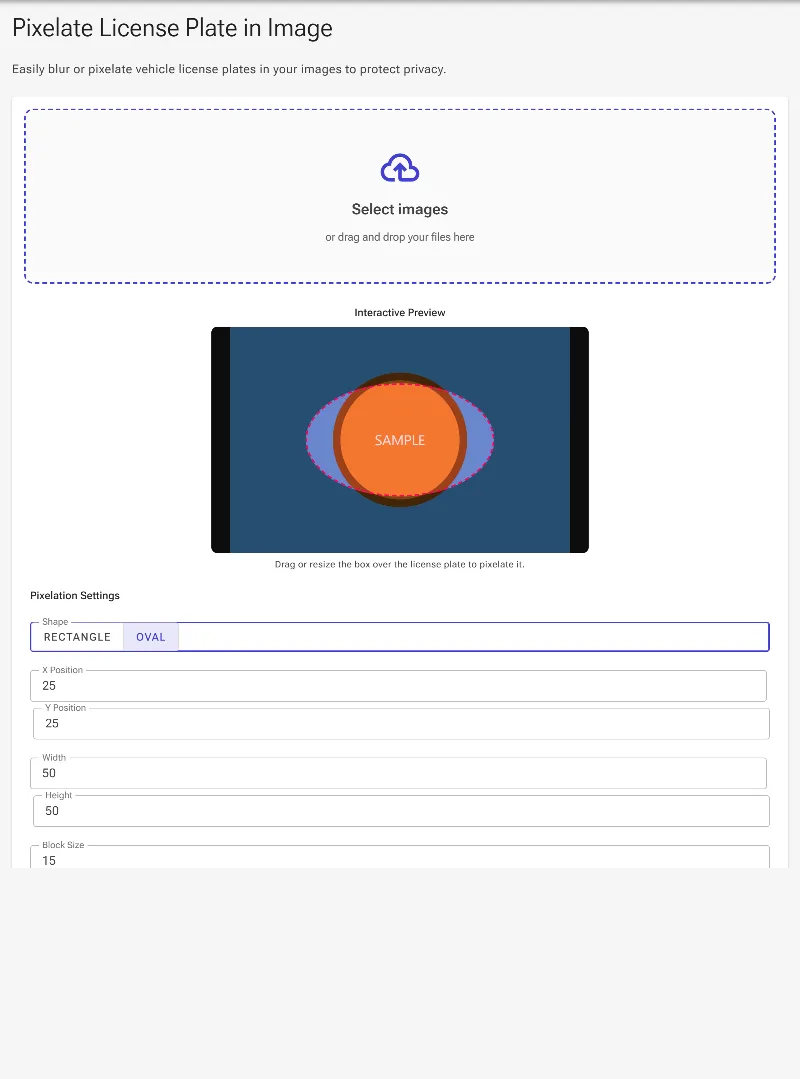
3Choose a rectangle or oval shape

Select the appropriate mask shape using the Shape selector. Use 'Rectangle' for standard panoramic plates or 'Oval' to seamlessly mask round emblems, decals, or motorcycle license plates without affecting the surrounding vehicle details.

Choose a rectangle or oval shape
Selecting the oval shape to apply a rounded pixelation mask.

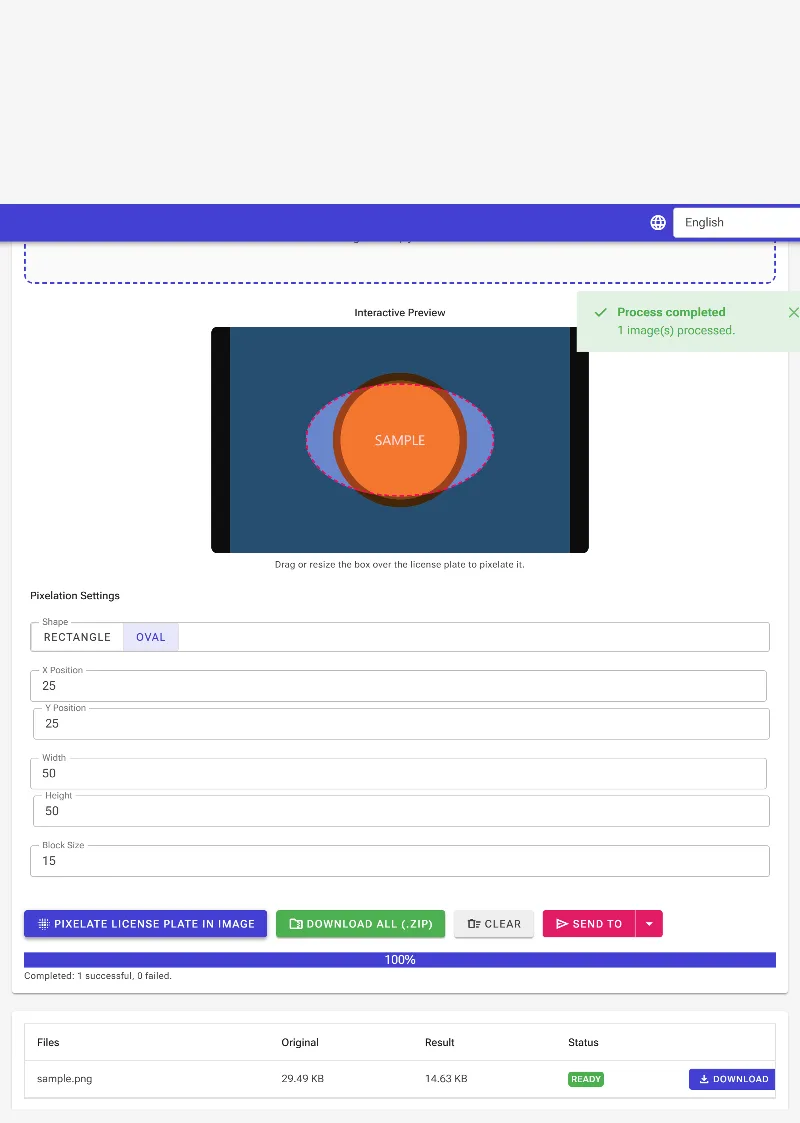
4Apply pixelation and download

Click the primary button to apply the nearest-neighbor pixelation filter inside your selected boundary. Once processed, you can download the completed image directly or bundle multiple processed files into a ZIP package.

Apply pixelation and download
Executing the pixelation process and preparing the final output for download.