Free Background Remover — Unlimited, HD, and Private
or drag and drop your images here
Remove the background from any image in seconds — free, unlimited, and without a single credit, cap, or signup. Upload a photo of a person, product, animal, or logo and get a clean, high-resolution transparent PNG with crisp edges, even around hair and fine detail. No watermark, no daily limit, and your images stay completely private.
Why This Background Remover Beats the Rest
Most "free" background removers aren't really free. They hand you one or two credits, cap you at a few images per day, blur or shrink the free download, slap on a watermark, or make you create an account before you can save anything in HD. This one doesn't. Truly unlimited and free. No credit system, no "5 images per day," no one-time trial that locks behind a paywall. Remove as many backgrounds as you want, as often as you want. Full-resolution HD downloads at no cost. Other tools give you a low-res preview and charge credits for the real thing. Here, you download the high-resolution transparent PNG for free — every time. No signup, no watermark. Open the page and start. Your finished cutout is clean and ready to use commercially or personally, with nothing stamped across it. Your images stay private. Your photos are never sold, shared, or used to train AI, and they're not kept around after you're done. What you upload stays yours. Clean edges, even on the hard stuff. The AI accurately separates your subject from the background and preserves tricky detail — flyaway hair, fur, soft shadows, and curved edges — so you get a natural, professional cutout instead of a rough outline.
How to Remove a Background From an Image
- Upload your image. Drag and drop a JPG, PNG, or WebP, or click to select one from your device. Add several at once for batch removal.
- Let the AI do the work. Your subject is detected and the background is erased automatically in seconds — no manual selecting, tracing, or masking.
- Download your transparent PNG. Save the high-resolution cutout for free, keep the background transparent, or swap in a solid color or new backdrop first.
Step-by-Step Tutorial: Remove a Background (With Screenshots)
Follow these steps to remove the background from any photo right in your browser — nothing is uploaded to a server.
1Upload your images
Click Select images or drag and drop a JPG, PNG, BMP, GIF, or WebP file (up to 100 MB) onto the drop zone. For the cleanest cutout, pick a photo with a solid-color background.
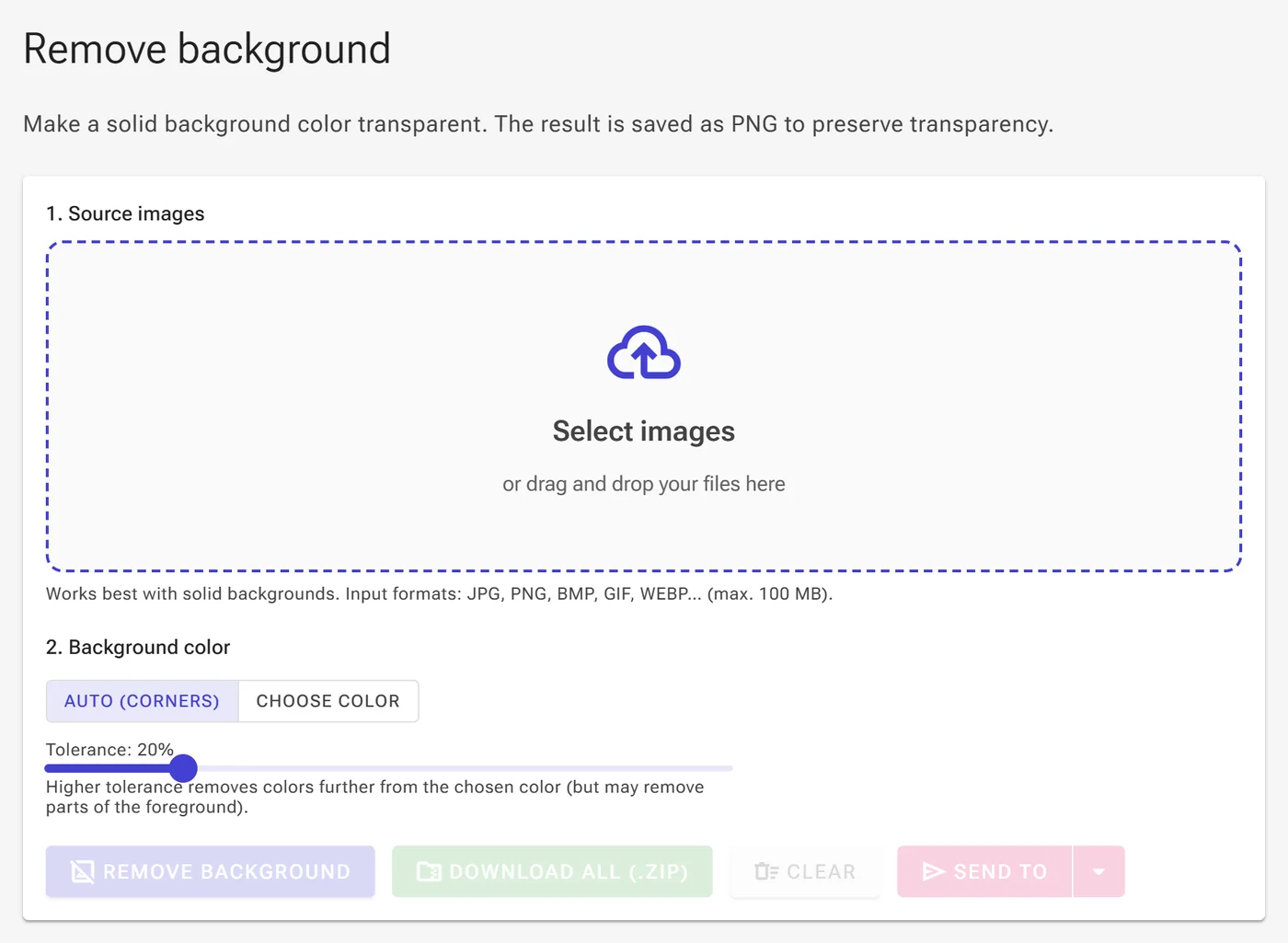
2Keep Auto (corners) for a quick result
Once your image loads, section 2. Background color appears with Auto (corners) selected by default — the tool samples the background color from the image's corners automatically. Use the Tolerance slider to control how many similar shades get removed.
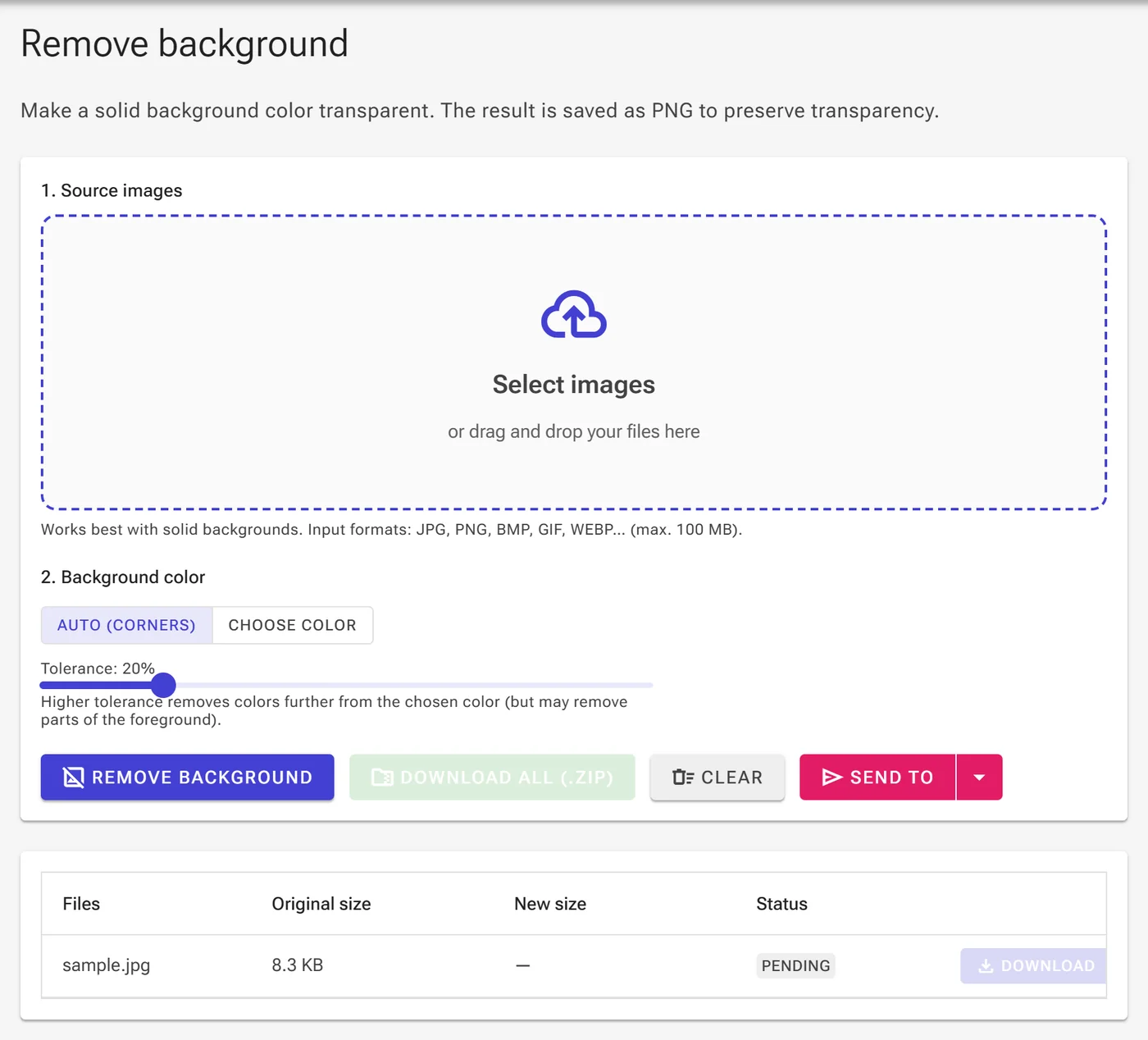
3Or choose the exact color to remove
If the automatic detection doesn't match your background, switch to Choose color and use the color picker next to Color to remove to pick the precise shade you want to make transparent.
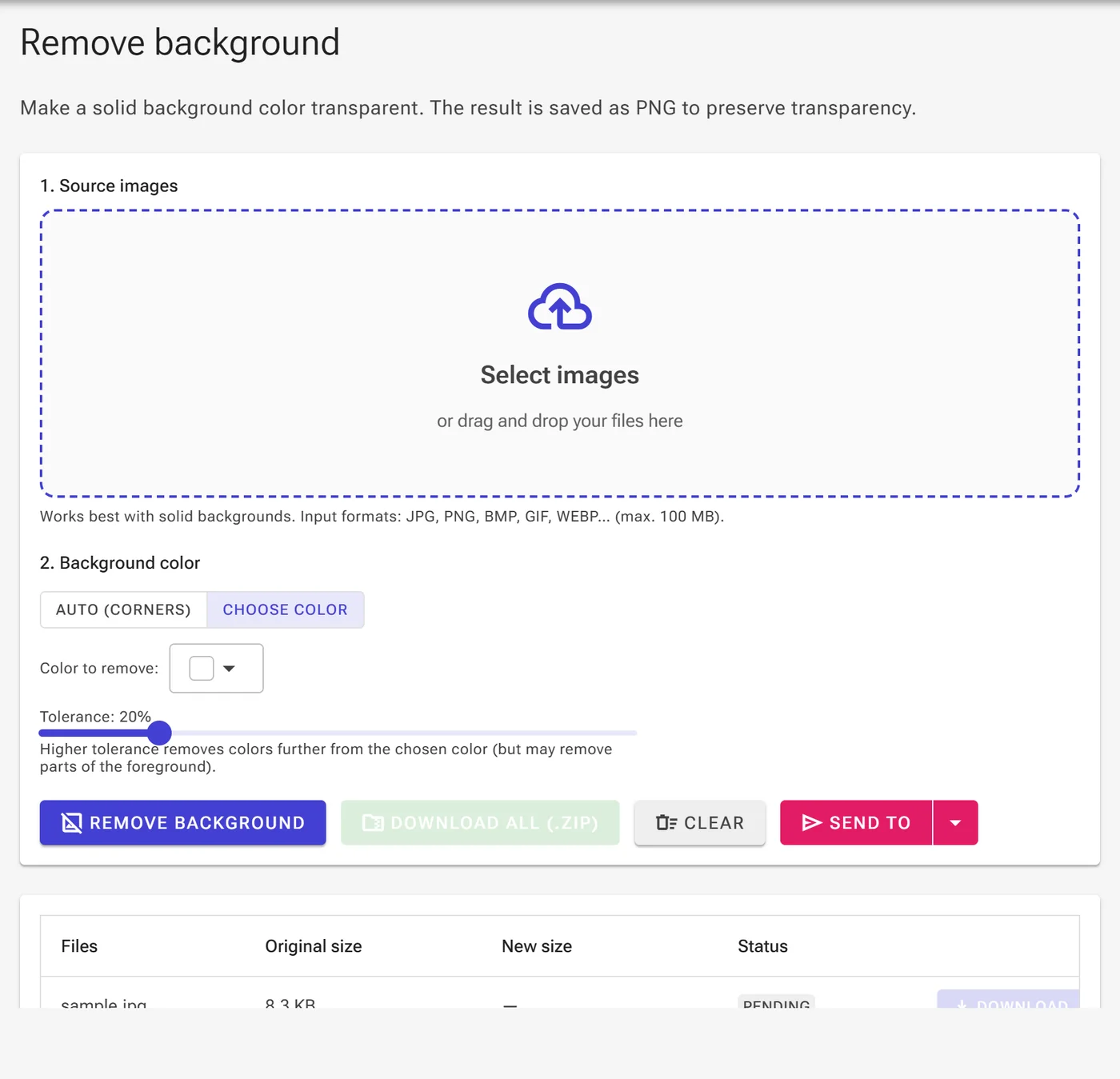
4Remove the background and download
Click Remove background. When the file's status turns to Ready, click Download to save your transparent PNG, or use Download all (.zip) if you processed several images at once.

One Tool, Endless Uses
A clean cutout is the starting point for almost any visual project:
- E-commerce & marketplaces — produce consistent white or transparent product shots that meet Amazon, Etsy, eBay, and Shopify listing standards.
- Logos & graphics — turn a logo or illustration into a transparent PNG you can drop onto any background, slide, or document.
- Profile & professional photos — create a clean headshot for LinkedIn, a CV, or a passport-style photo.
- Social media & marketing — design scroll-stopping posts, thumbnails, ads, and banners with your subject cleanly isolated.
- Print & stickers — get sharp, high-resolution cutouts ready for die-cut stickers, labels, packaging, and flyers.
Built for Quality Cutouts
Background removal lives or dies at the edges. A rough outline around hair or a haloed product ruins an otherwise good image. This tool is tuned to keep edges sharp and natural across every kind of subject — people, products, cars, animals, and graphics — so the result holds up whether it's a tiny social thumbnail or a large print file. Because downloads are full-resolution, your cutout stays crisp at any size, with no blurry preview or quality penalty for using it for free.