Free Image Resizer & Scaler — Private, Unlimited, No Upload
or drag and drop your images here
Resize or scale any image online for free, with no limits and no signup. Enlarge a small photo, shrink a large one, or set exact dimensions — by pixels, percentage, centimeters, or inches — and download a sharp result in seconds. Everything happens inside your browser, so your images never get uploaded to a server and stay completely private.
Why This Image Resizer Is Different
A lot of "free" resizers upload your photos to their servers, cap you at a handful of files, reserve batch processing or privacy for a paid plan, or wrap the whole thing in ads. This one doesn't.
Your images never leave your browser. Resizing runs locally on your own device. Nothing is uploaded, stored, or "kept for 24 hours" — your photos stay on your computer or phone the entire time. That makes it safe for ID photos, client work, product shots, and anything you'd rather not hand to a server.
No limits and no signup. Resize as many images as you want, as large as you want, as often as you want. There's no file-count cap, no megapixel ceiling, no daily quota, and no account to create. Batch-resize a whole folder in one pass.
Scale up or down without wrecking quality. High-quality resampling keeps edges crisp and colors accurate whether you're shrinking a 6000 px camera photo for the web or enlarging a small graphic for print — far better than a quick browser stretch.
Resize your way. Set an exact width and height in pixels, scale by percentage, or work in centimeters or inches with a DPI value for print. Lock the aspect ratio to avoid distortion, or unlock it for a precise fit.
Completely free, no watermark. Open the page and start. Your resized image downloads clean, with nothing stamped across it.
No software, no plugin, no account — it works in any browser on Windows, macOS, Linux, Android, and iOS.
Resize for Anything
A correctly sized image loads faster, fits perfectly, and looks professional everywhere:
- Websites & SEO — shrink heavy camera photos to web-friendly dimensions so pages load faster and Core Web Vitals improve.
- Social media — hit the exact size for Instagram, Facebook, X/Twitter, LinkedIn, YouTube, and Pinterest posts, stories, covers, and thumbnails.
- E-commerce — standardize product photos to consistent dimensions for Amazon, Etsy, eBay, and Shopify listings.
- Email & messaging — make large photos small enough to send quickly without filling an inbox.
- Print — set physical size in cm or inches at the right DPI for flyers, posters, and photo prints.
- Documents & forms — meet exact pixel or file requirements for passport photos, applications, and uploads.
Scale Up and Scale Down
Resizing isn't only about making images smaller. Scale down to cut file size and fit tighter layouts, or scale up to enlarge a small logo or graphic for a bigger canvas. High-quality resampling preserves as much sharpness and detail as possible in both directions, so your result looks intentional rather than blurry or pixelated. Because you control width, height, and aspect ratio precisely, you get exactly the dimensions you need — no guesswork, no distortion.
ステップバイステップチュートリアル:画像のサイズ変更(スクリーンショット付き)
ブラウザで直接、簡単な手順で画像のサイズを変更する方法を学びます。画像がサーバーにアップロードされることはありません。
1画像をアップロードする
画像を選択ボタンをクリックするか、ファイルをドロップゾーンに直接ドラッグ&ドロップします。複数の画像を選択して一度に処理することができます。
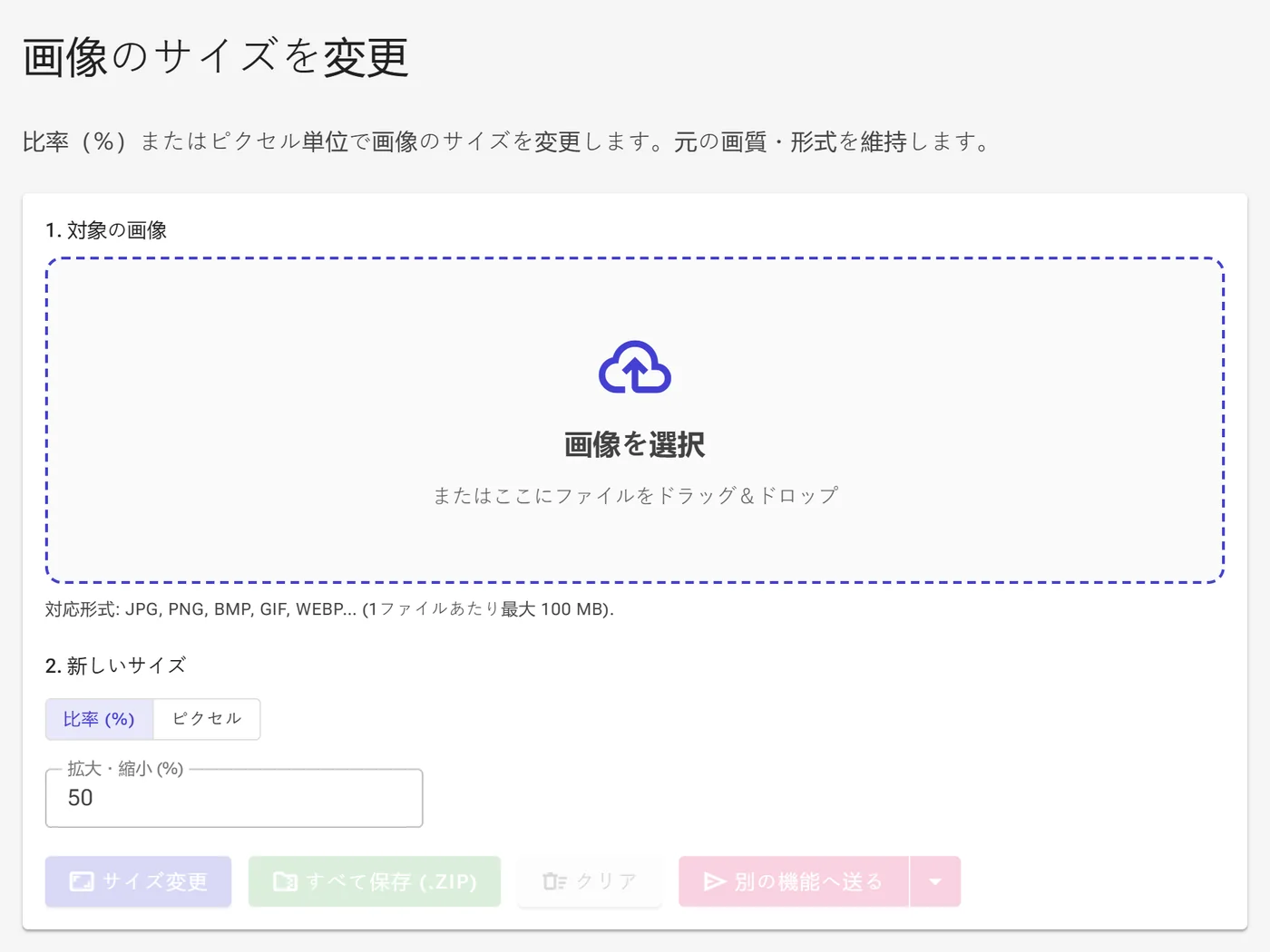
2サイズ変更モードと比率を選択する
デフォルトでは、比率 (%)モードが選択されています。元のサイズの1%から1000%の範囲で画像を比例して縮小または拡大できます。
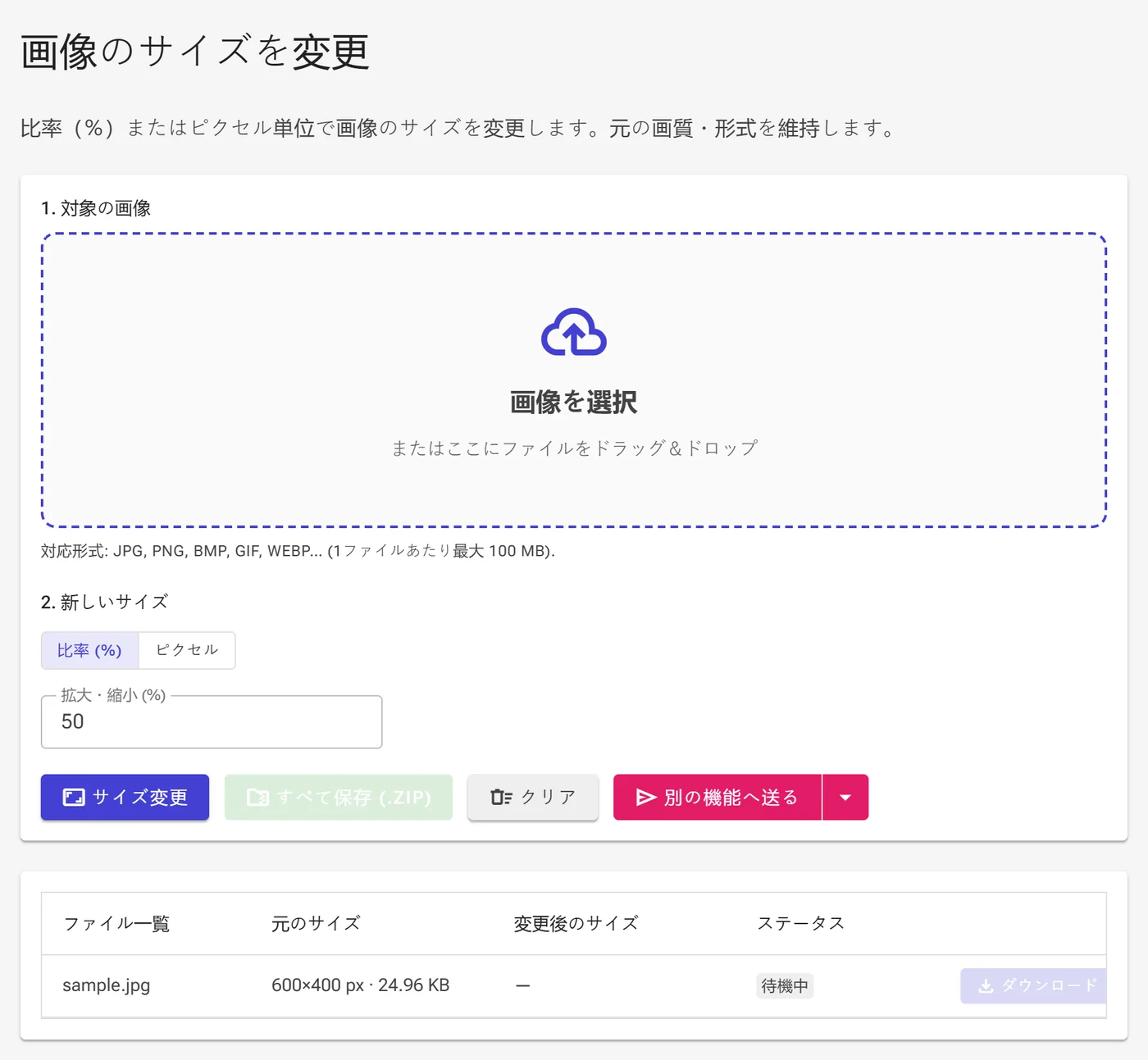
3具体的なサイズと単位を指定する
ピクセルモードに切り替えて、幅と高さの正確な値を入力します。単位ドロップダウンから、px(ピクセル)、cm(センチメートル)、またはin(インチ)を選択できます。センチメートルやインチを選択した場合は、解像度 (DPI)(1インチあたりのドット数)を指定して正確なピクセル数を計算させることができます。また、元の比率を崩さないために縦横比を維持にチェックを入れます。
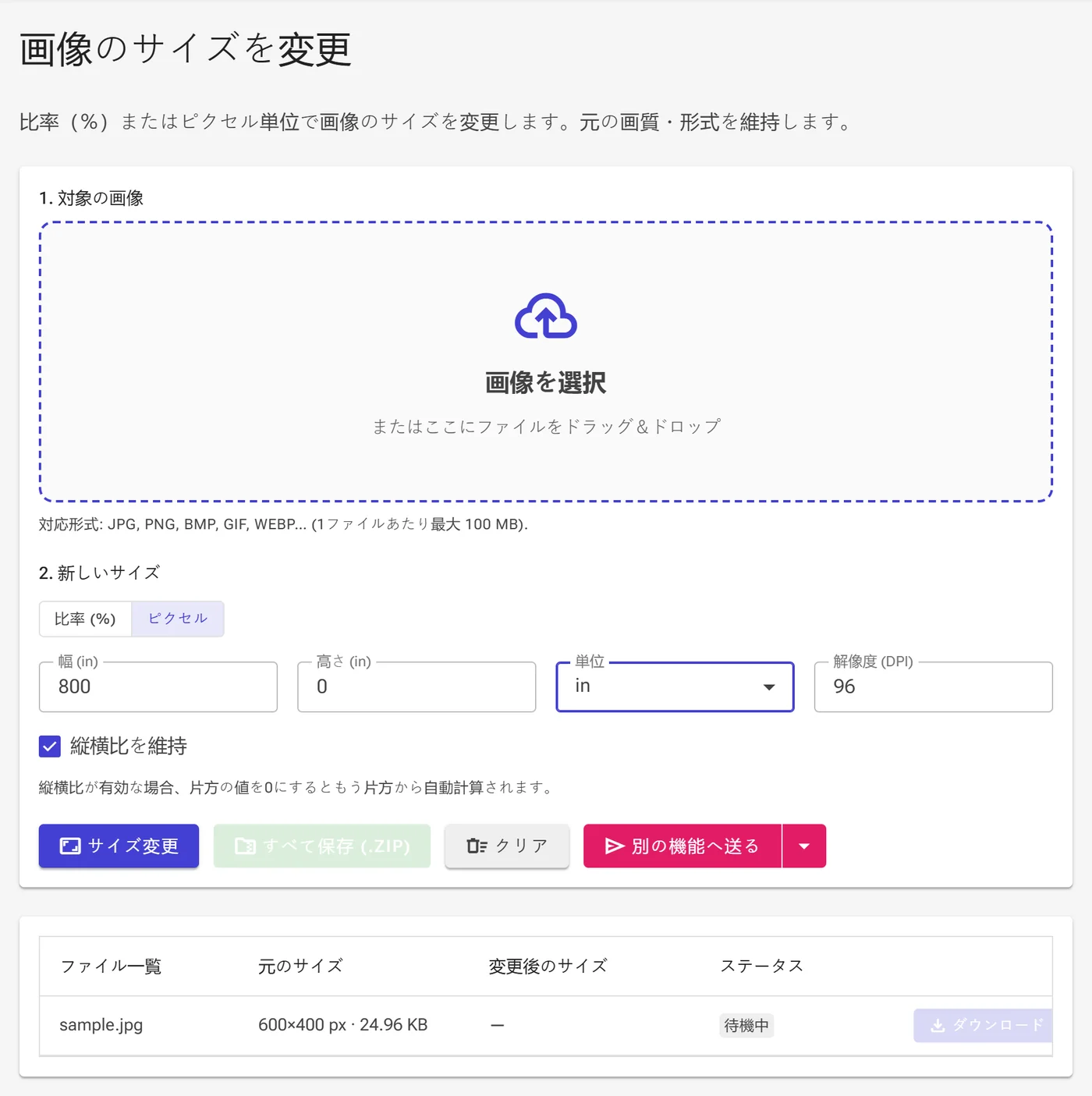
4処理とダウンロード
サイズ変更ボタンをクリックして画像を処理します。完了したら、各ファイル名の横にあるダウンロードをクリックして個別に保存するか、すべて保存 (.zip)を使用してZIPアーカイブとしてまとめてダウンロードします。さらに、別の機能へ送るで他の機能に直接転送したり、クリアでワークスペースをリセットしたりできます。
